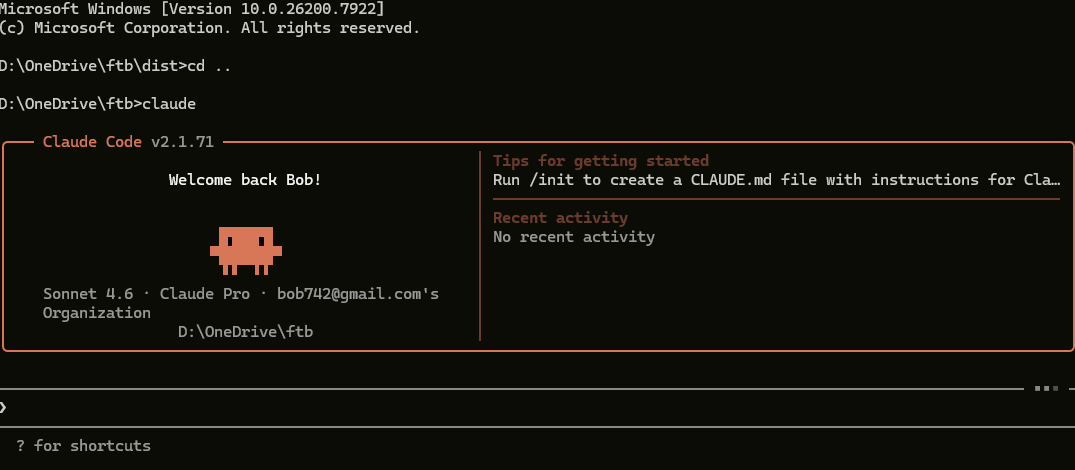
Since my last post I’ve been using Claude Code more, and I’m pleased to report it works well and is genuinely powerful. As a confirmed control freak, I was also pleased to find that I stayed in control throughout.
I have a module that produces a Quill rich text input field with two known defects. First, because I followed the recommended coding closely, it only works for a single field per page. Second, the default configuration doesn’t support image tags. It served my purposes as-is, so I’d left it alone — but working on fintechbenchmark.com I found I needed both features fixed.
I asked Claude Code to patch the code. It presented colour-coded diffs showing what needed changing and what the change would be. I could then approve each change individually or accept all of them in one go. The first attempt had an issue when I tested it, but a second pass fixed it. The whole thing took minutes rather than the hour or two I’d have spent researching the solution and implementing it myself. The productivity gain is substantial.
I haven’t yet asked Claude Code to write a module from scratch — I know people do that — but I expect I will before long.
The functions Claude Code offers are impressive, but the user interface is unashamedly old-school. It runs in a terminal. Even within VS Code, the way in is to open a terminal session. The options are presented as numbered choices — “press 1 for yes, 2 for no” and so on. It works well, but it does feel very 20th century.
That won’t bother anyone comfortable with a Unix or Windows command line. But here’s the thing: people aren’t just using Claude Code for coding. They’re using it to sort out a presentation or tidy up a Word document. Those users are not always going to be command-line warriors.
Anthropic’s answer to this is Claude Cowork — a new tab in the Claude Desktop app, sitting alongside Chat and Code. It uses the same underlying technology as Claude Code but is designed for non-developers. Instead of a terminal, you get a normal chat interface. The key difference from Claude Code is that Cowork works within a folder you designate, whereas Claude Code can reach files anywhere on your system. Personally, I see that as a feature rather than a limitation — guard rails you can control are a good thing.
One caveat if you’re on Windows: Cowork can only access files within your home directory. That’s not quite the same as being limited to the C: drive, but it amounts to the same problem for me — my files live on D:, so I can’t point Cowork at a working folder until Anthropic lifts that restriction.
A correction from my last post
In my previous post I mentioned Codex, OpenAI’s equivalent, and I have to hold my hands up — I didn’t have the full picture. I described it as a cloud-based tool that worked via GitHub, which is one way to use it, but Codex also has a CLI that runs locally in your terminal, much like Claude Code, and a desktop app for both macOS and Windows. The cloud option still wasn’t attractive to me, but the local CLI is a more direct comparison to Claude Code than I made it sound.
The takeaway
AI coding assistants are evolving fast — faster than it’s easy to keep up with, as my own Codex mea culpa demonstrates. The space has effectively split into two audiences. For developers comfortable in a terminal, both Claude Code and Codex CLI offer serious local power with you firmly in control. For everyone else, Cowork is Anthropic’s answer — the same capability without the command line, though it’s still early days on Windows. Whichever tool you choose, the productivity gains are real. What took me an hour or two of research and careful coding took Claude Code minutes. That’s not a marginal improvement; it’s a different way of working.
 Bob Browning's blog
Leave a comment